

To help you manage active and inactive repositories more efficiently, the platform allows you to archive Deposit Wallets that are no longer actively required (e.g., legacy addresses or retired client accounts). Archived wallets are safely hidden from your default dashboard view to reduce workspace clutter, but they remain fully accessible within a separate dedicated repository and can be completely restored at any time.
🧭Part A: How to Archive a Deposit Wallet
Step 1: Select Your Target Wallet
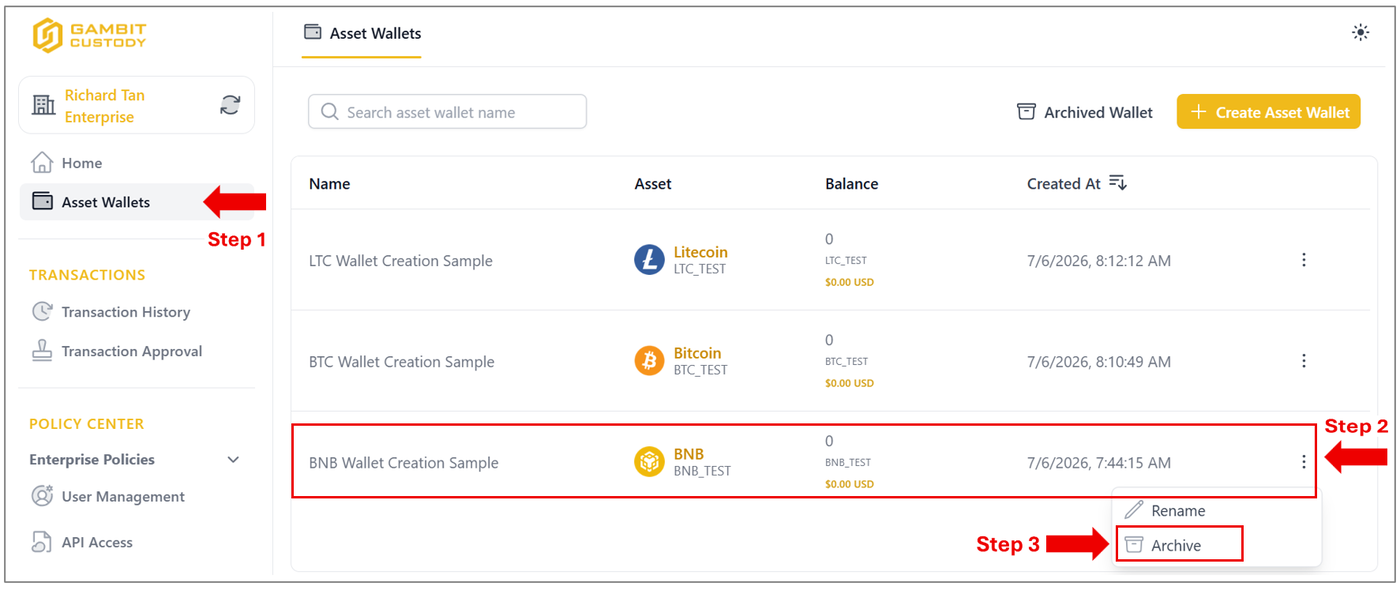
Navigate to the left-hand menu and click on the Asset Wallets tab.
Scroll to locate the specific wallet entry you intend to archive (for example, the BNB Wallet Creation Sample row) and click its three-dot action menu icon on the far right.
From the contextual drop-down menu that appears, click Archive to proceed.
Step 2: System Confirmation
An Archive Asset Wallet confirmation and Multi-Factor Authorisation (MFA) verification modal overlay will populate on your screen. Complete both verification steps accordingly.
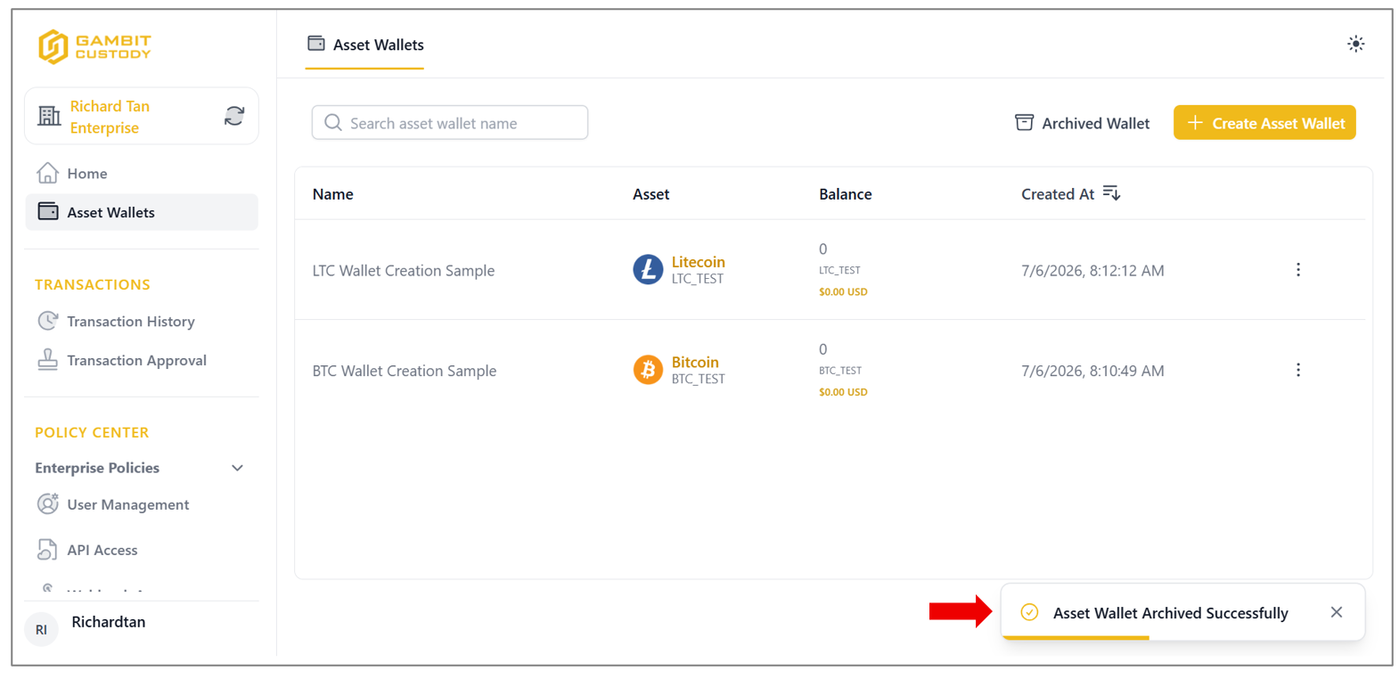
Upon successful verification, the modal will close automatically, and a confirmation banner stating "Asset Wallet Archived Successfully" will momentarily display in the bottom right-hand corner of the platform dashboard.
The archived facility will now be hidden from your active asset ledger grid.
🔄Part B: How to Unarchive a Deposit Wallet
Step 1: Open the Archive Repository Tab
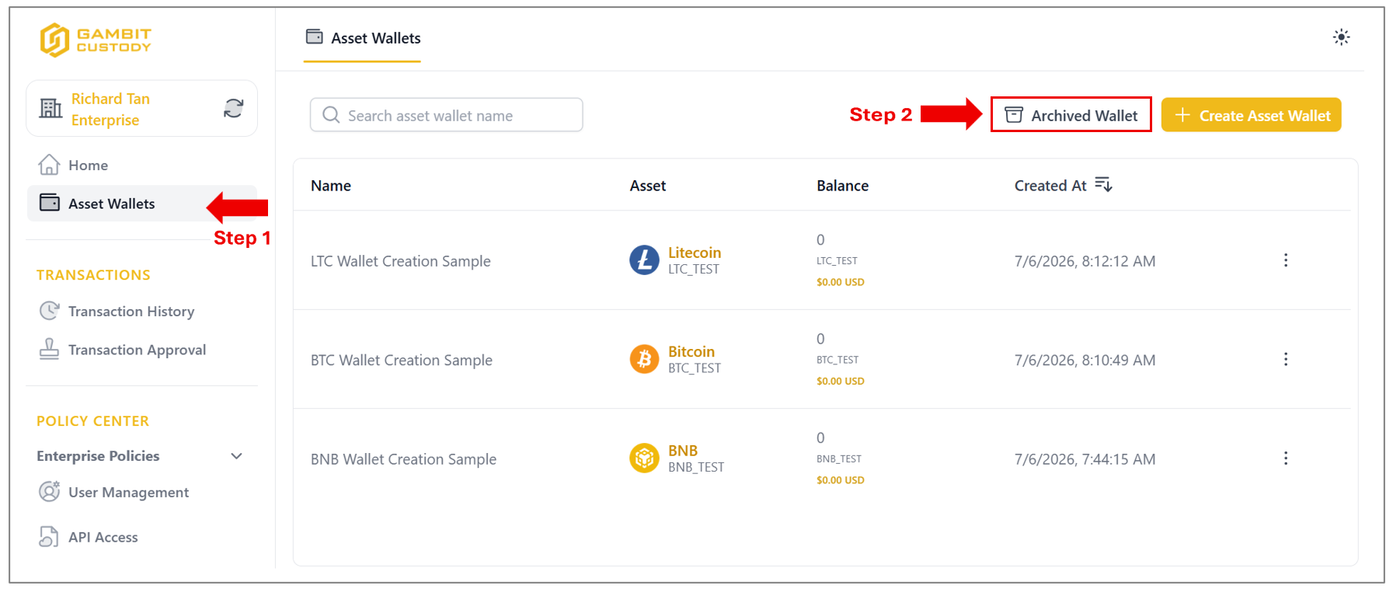
Go to the left sidebar menu and open your Asset Wallets dashboard.
Click the white Archived Wallet button to reveal the hidden assets.
Step 2: Select the Wallet for Restoration
Inside the Archived Asset Wallets ledger grid, locate the specific wallet row you wish to restore.
Click the three-dot options menu icon and select Unarchive from the contextual drop-down selection list.
Once the security layer approves the action, the asset item will immediately exit the archive section and return to your live, active wallet list for standard transaction use.

Additional Notes & System Rules
Please keep the following operational rules and system behaviours in mind when managing your wallet lifecycle:
Deposit Wallet Exclusivity: The archiving and unarchiving workflows apply exclusively to Deposit Wallets.
Core Wallet Restrictions: To protect core framework infrastructure, Root Wallets and Cold Wallets cannot be archived under any circumstances.
Data Preservation: Archiving is purely a workspace organisation tool; it does not delete the wallet structure or erase its historical data footprints from the database.
Continuous Visibility: You retain full read-only access to view asset balances and review complete transaction history logs inside archived wallets at any time.