
A Webhook URL is a destination address (endpoint) created by your engineering or IT team on your enterprise’s server. When configured in the portal, webhooks enable automated, real-time communication between Gambit Custody and your enterprise's internal systems or software applications.
Permission Matrix Breakdown
Before proceeding, please review the operational authority boundaries defined below:
Role | Can Create New Webhook Access? |
|---|---|
Root Admin | ✅ Yes |
Super Admin | ✅ Yes |
Standard User | ❌ No |
How to Set Up a New Webhook Endpoint
Step 1: Navigate to Webhook Access
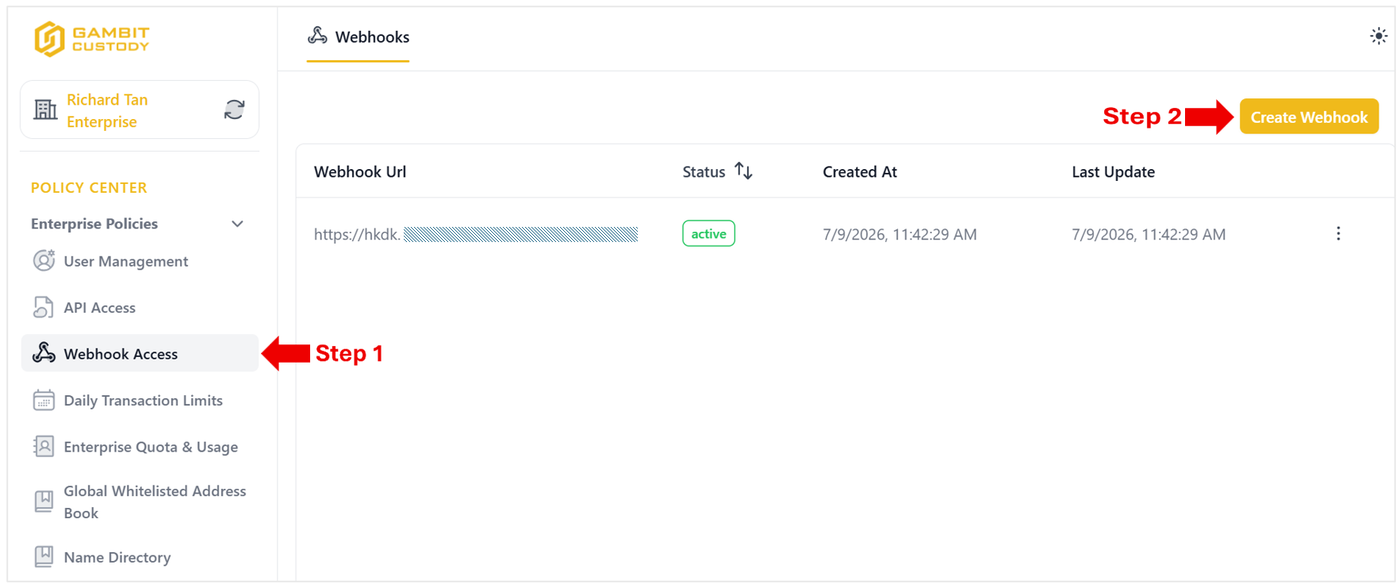
From the left navigation sidebar, go to Policy Center > Enterprise Policies.
Click on Webhook Access.
Step 2: Create a Webhook
On the Webhooks management page, click the yellow Create Webhook button at the top-right corner.
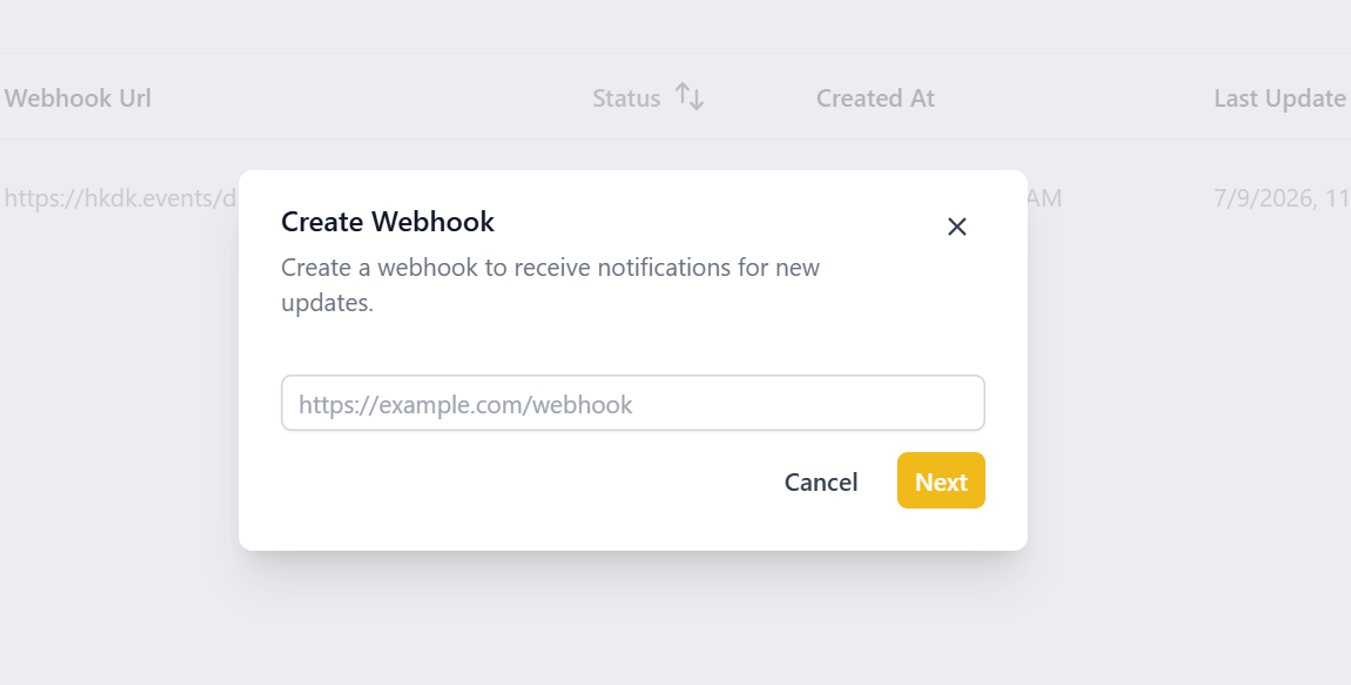
A Create Webhook pop-up modal will appear.
Enter your secure server endpoint in the Webhook URL field.
Click Next to confirm and complete multi-factor authentication (MFA) to proceed.
Step 3: Confirmation and Status Verification
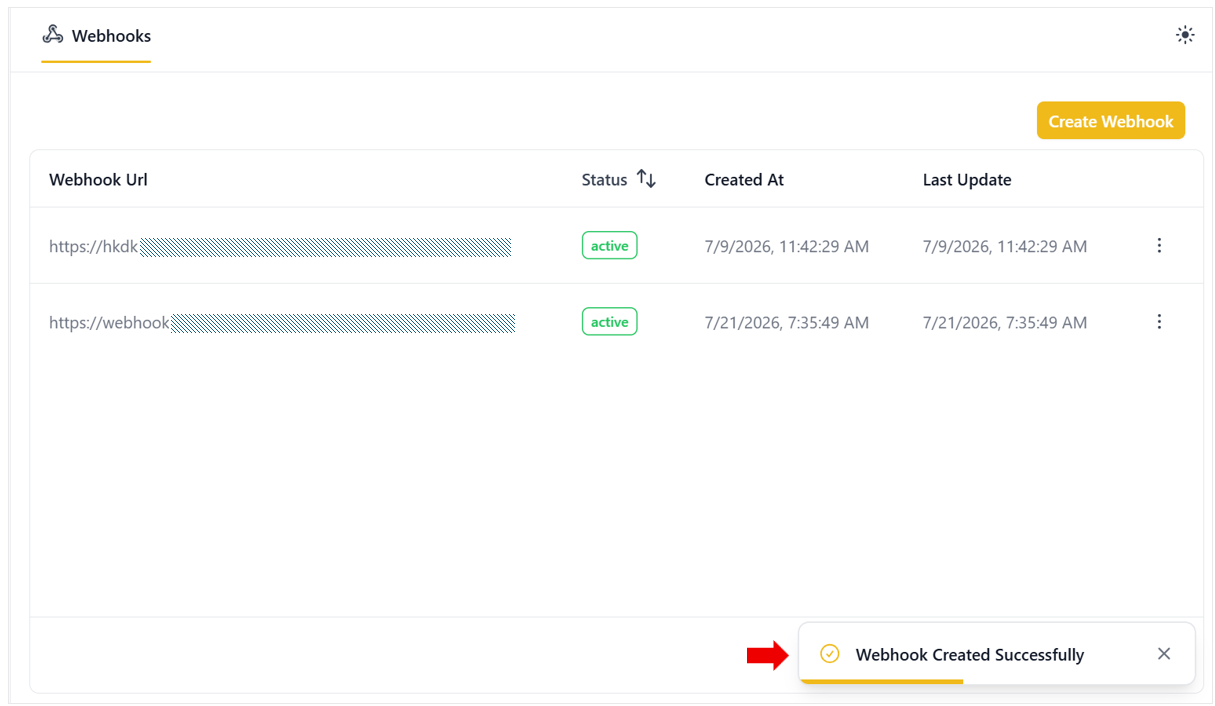
Once added, a confirmation banner reading "Webhook Created Successfully" will pop up at the bottom right of the screen.
Your newly registered endpoint will appear in the Webhooks list table with an Active status badge.
Your server will now begin receiving automated event payloads from Gambit Custody in real time.