

The Enterprise Quota & Usage module provides operational transparency by allowing enterprises to monitor their real-time consumption and historical limits across critical platform services.
🔒 Read-Only Notice: Quota limits are predetermined by Gambit Custody in accordance with your signed Service Level Agreement (SLA) and are non-editable directly within the platform. If your organization requires a higher quota or limit adjustment, please contact the Gambit Custody Support Team.
How to Access the Module
Log in to the portal and navigate to the left-hand sidebar menu.
Under Policy Center, click to expand Enterprise Policies (if collapsed).
Select Enterprise Quota & Usage.
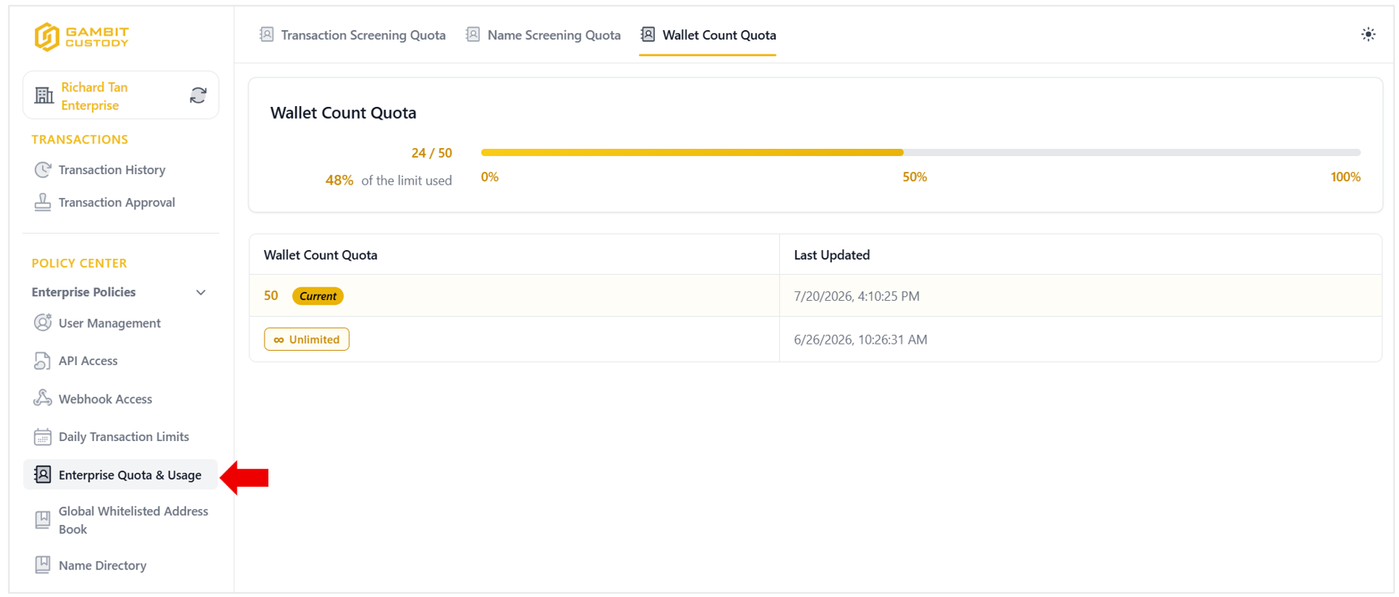
Service Quotas & Features
The module is divided into three primary tabs, each tracking a specific platform usage metric:
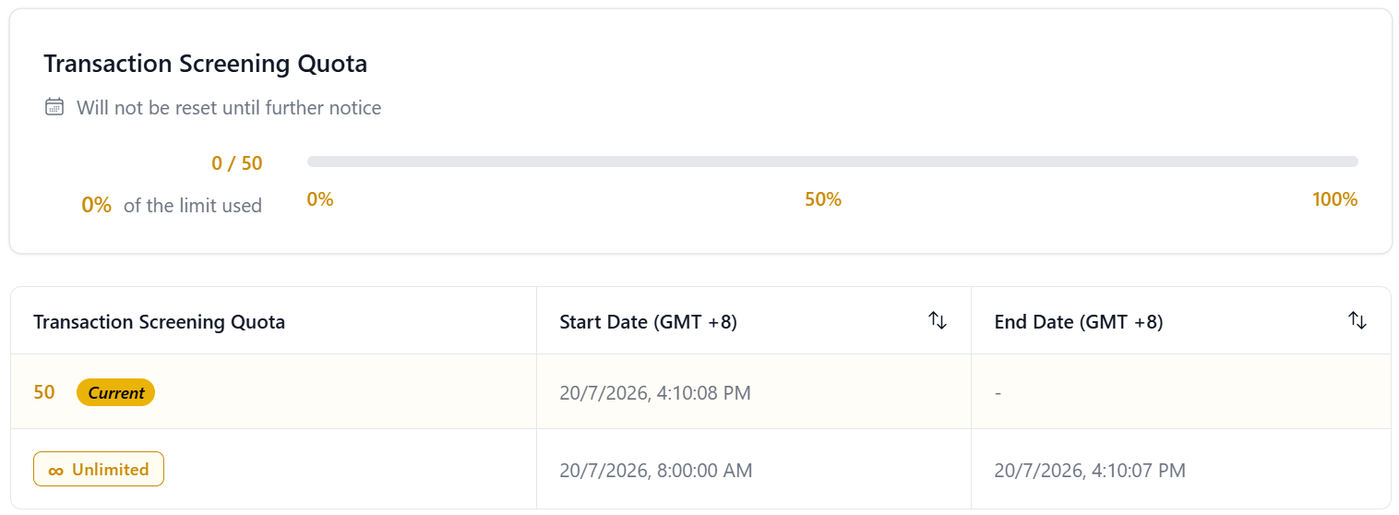
1. Transaction Screening Quota
Tracks the number of automated transaction screening checks conducted for compliance and AML risk management.
Real-time Tracker: Displays current usage against the maximum limit (e.g., 0/50 or 0% of the limit used).
Reset Schedule: Indicates reset frequency information (e.g., Will not be reset until further notice).
Quota History Table: Logs current active limits alongside historical quota periods (including Start Date and End Date in GMT +8).
2. Name Screening Quota
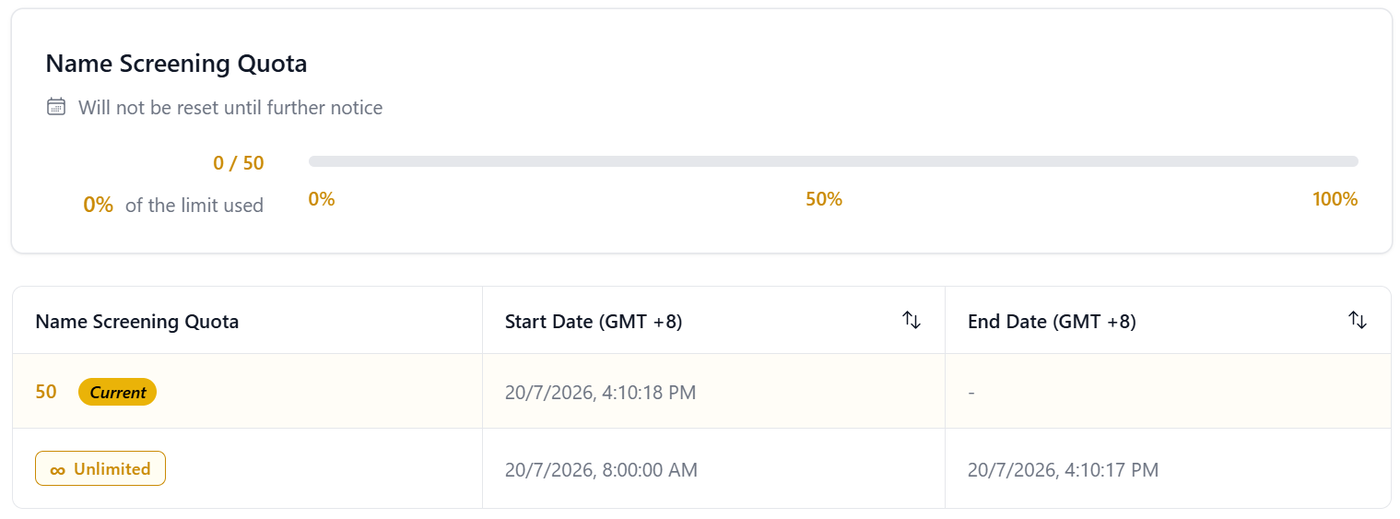
Monitors counterparty identity screening checks performed against regulatory and sanction watchlists (KYC/AML).
Real-time Tracker: Displays consumed name screening checks relative to your allocated quota.
Reset Schedule: Displays the designated reset window for screening allocations.
Quota History Table: Details active limits (marked with a Current badge) and past quota terms.
3. Wallet Count Quota
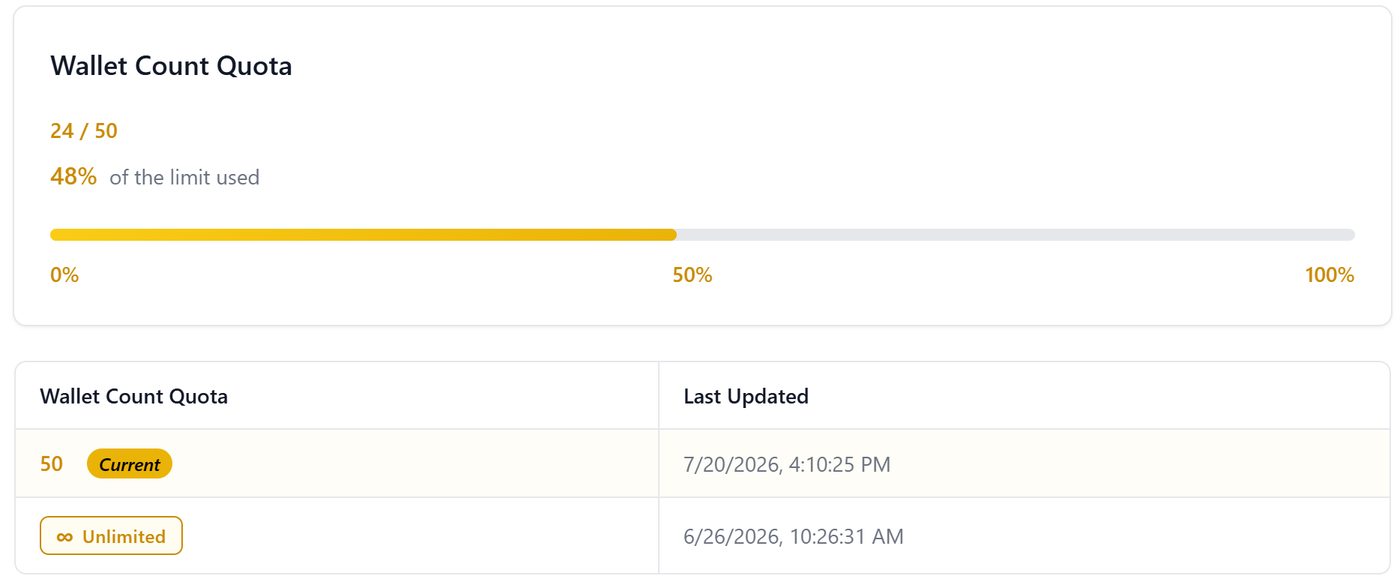
Monitors the total number of active asset wallets created and managed within your enterprise account.
Real-time Tracker: Visual progress bar showing active wallets used versus the allowed threshold (e.g., 24/50 or 48% of the limit used).
Quota History Table: Logs active wallet caps and historical revisions over time (including timestamp records).
Requesting a Quota Increase
If your enterprise is approaching its usage limits or anticipates an increase in volume:
Review Current Usage: Check your progress bar and history tables in the Enterprise Quota & Usage module.
Contact Support: Reach out to your dedicated Account Manager or the Gambit Custody Support Team.
SLA Adjustment: Once an updated plan or SLA addendum is agreed upon, the Gambit Custody team will update your limits directly on the backend.