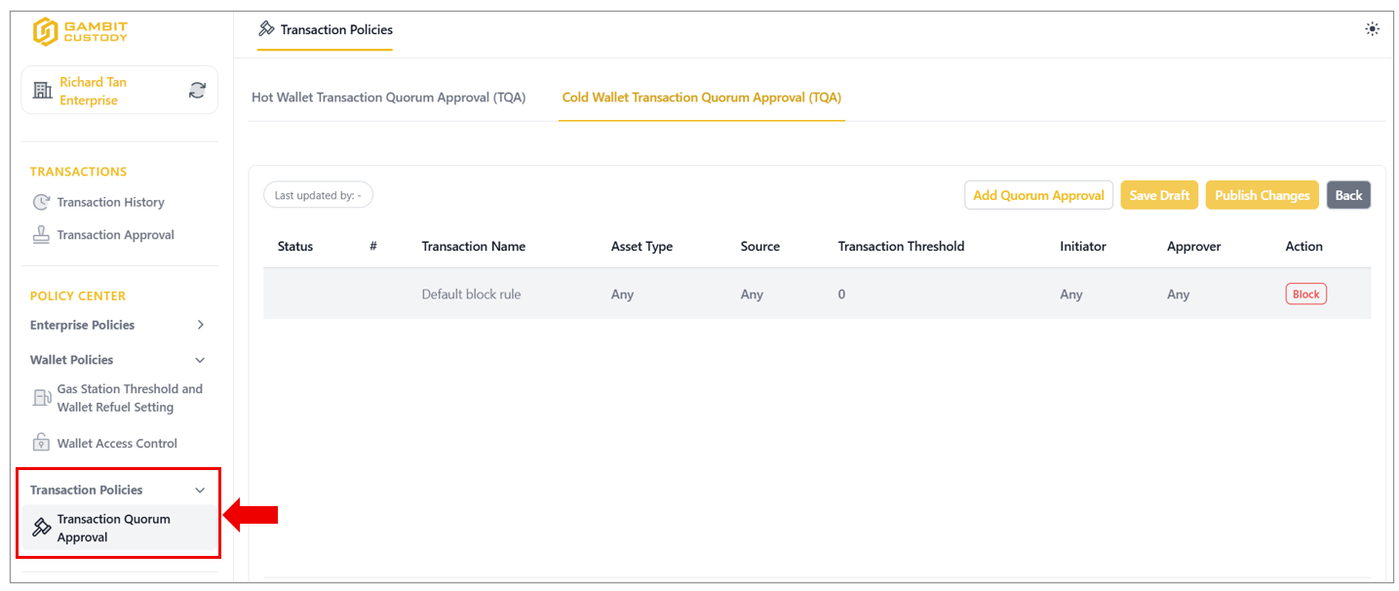

This article introduces the core interface layout and structural navigation modules of the Digital Asset Custody (DAC) Portal. The platform is engineered to group critical wallet management, treasury tracking, and compliance policy controls into a unified, intuitive workspace sidebar panel.
Core Workspace Modules
1. Asset Wallets
The Asset Wallets module provides an at-a-glance summary of all the enterprise asset wallets, token balances, and historical creation timelines. Additionally, this interface area handles complete lifecycle management for asset repositories, including wallet creation, renaming protocols, archiving procedures, and deep-dive audits into specific sub-wallet types.
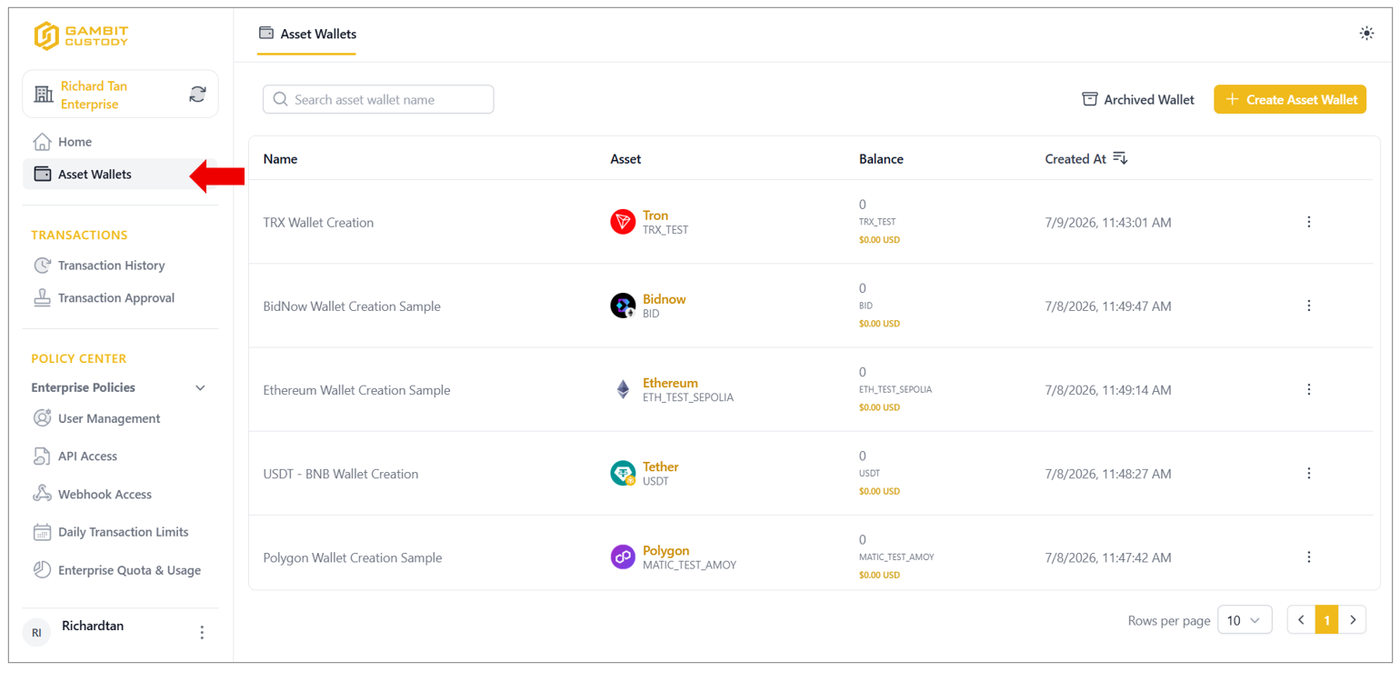
2. Transaction Management
This module isolates all financial transaction-related activity features and displays a real-time record of all inbound and outbound asset flows across the entire corporate node. Divided into two main active interfaces: Transaction History and Transaction Approval.
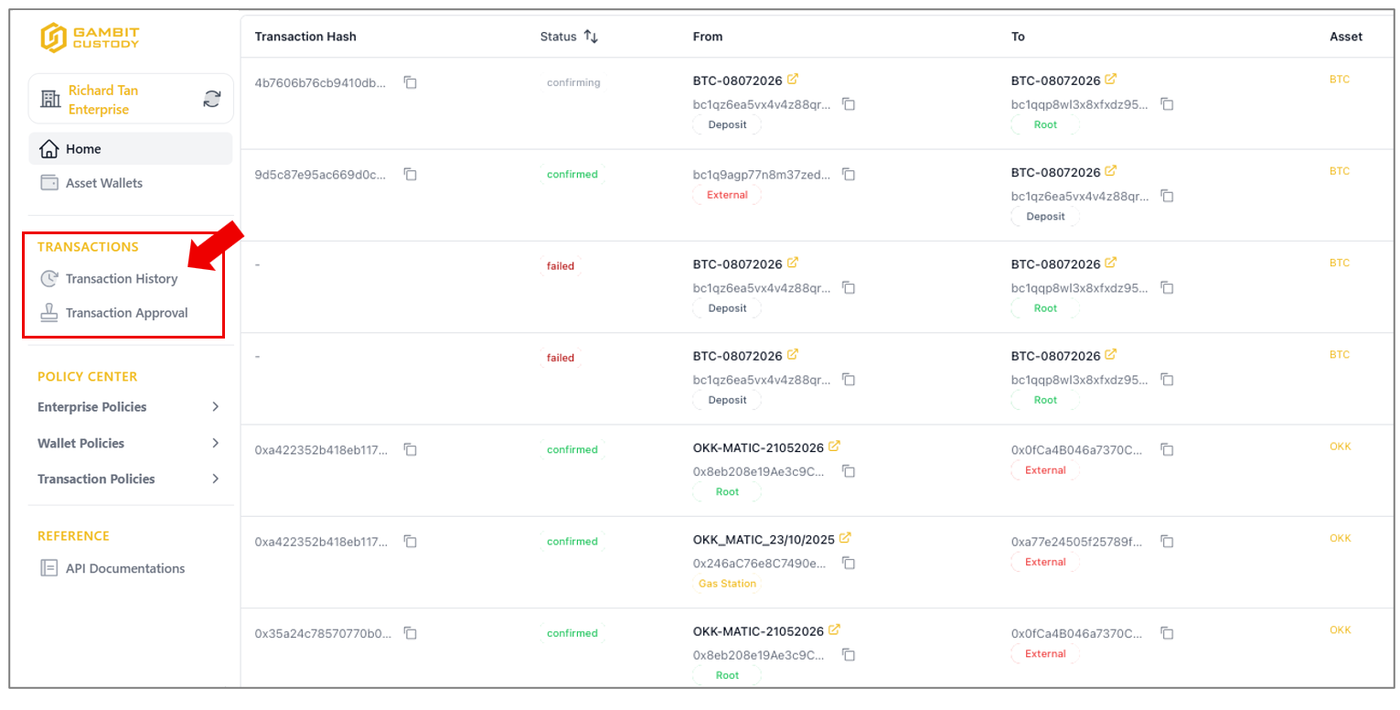
3. Policy Centre
The POLICY CENTRE represents the governance engine of the portal, comprising the platform's core operational management interfaces like Enterprise Policies, Wallet Policies and Transaction Policies.
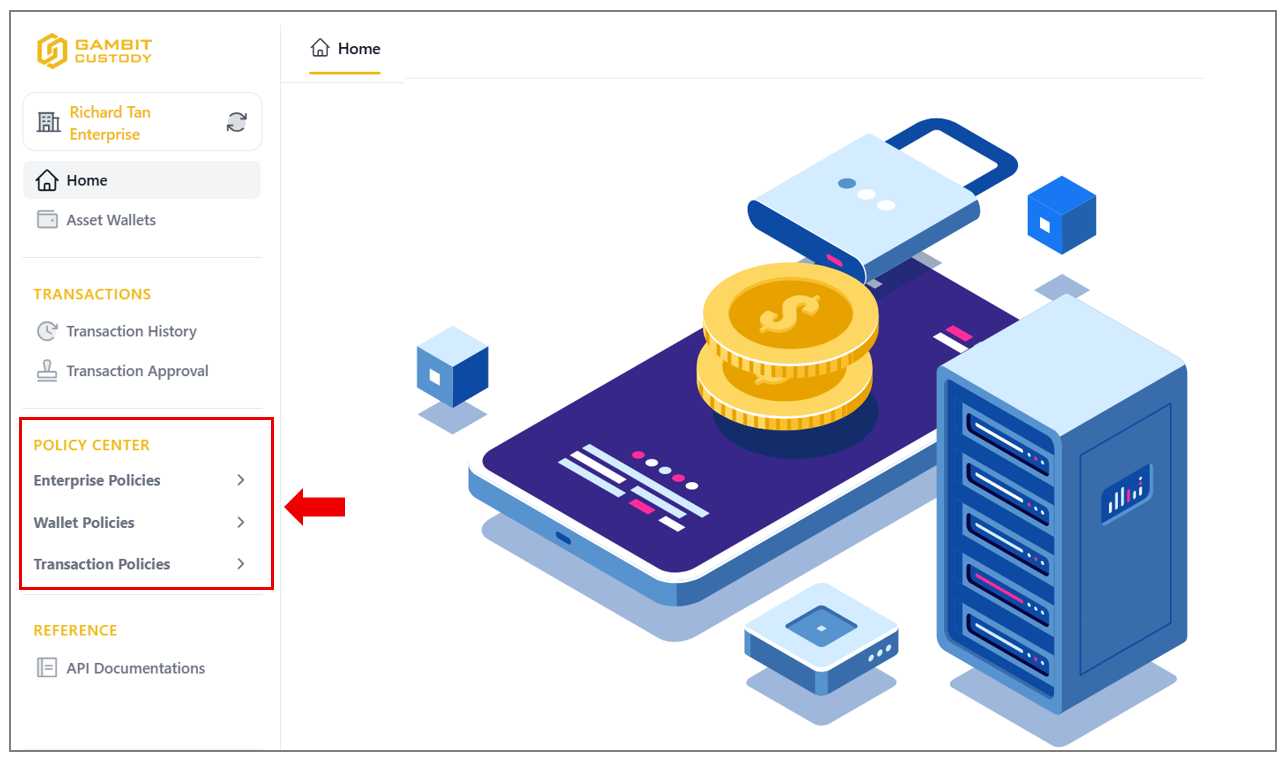
3.1 Enterprise Policies
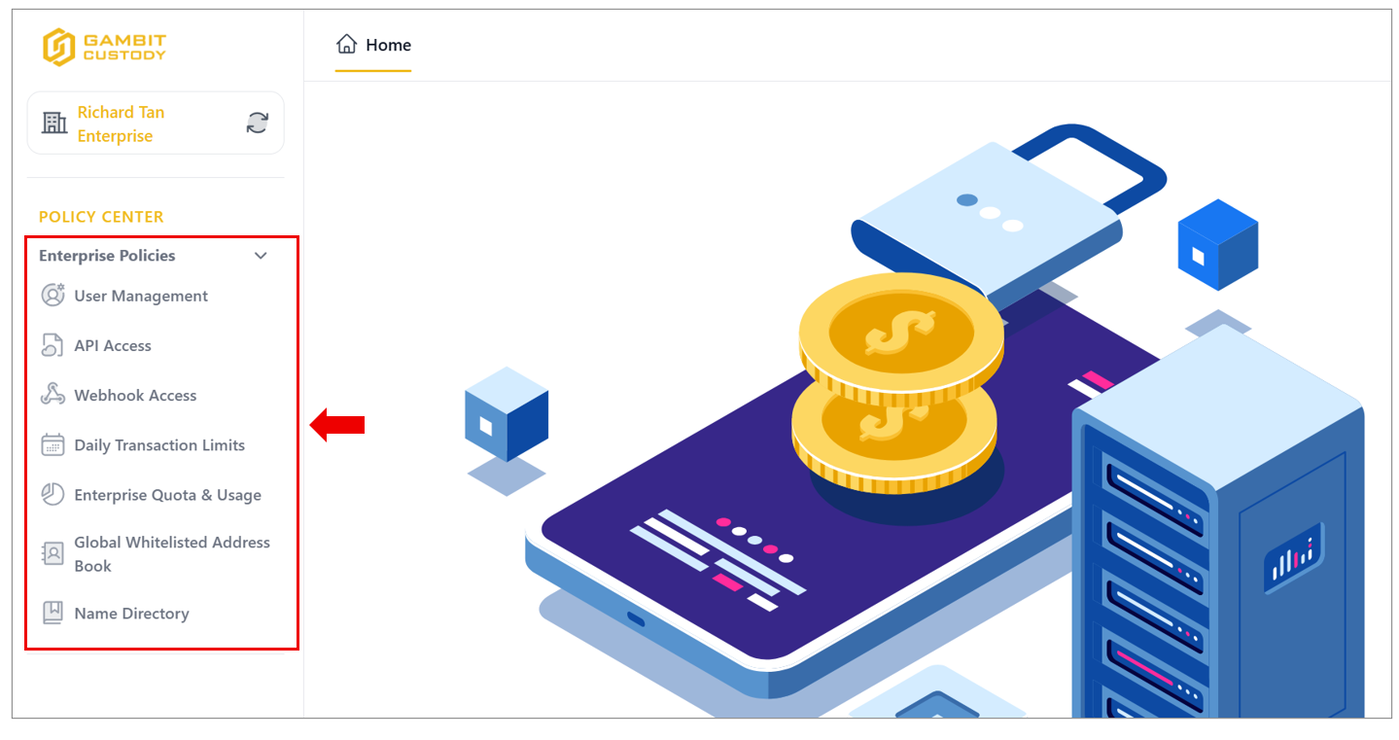
Expanding the Enterprise Policies drop-down menu exposes the platform's core operational management interfaces. Below is an overview of the primary policy sub-modules visible within this expanded control panel:
3.1.1 User Management
This segment handles profile provisioning and identity access security audits. Split into two functional tabs: Accounts and Invitation.
3.1.2 API Access
Designed for technical administrators configuring secure programmatic interactions with the DAC Platform.
3.1.3 Webhook Access
The Webhook API provides endpoints related to webhook configuration, delivery, and monitoring. This includes registering or updating webhook URLs, viewing webhook event history, retrying failed deliveries, and inspecting payloads triggered by platform events such as wallet activity, transaction status changes, or asset updates.
3.1.4 Daily Transaction Limits
Provides a risk control dashboard to govern corporate transaction thresholds and mitigate unauthorized capital movement. This sub-module is divided into an administrative Setting sub-page and a Consumption Report panel.
3.1.5 Enterprise Quota & Usage
Gives system administrators direct visibility into consumption metrics relative to institutional subscription agreements. Segregated into individual tracking tabs for Name Screening Quota and Wallet Count Quota.
3.1.6 Global Whitelisted Address Book
The Whitelisted Addresses sub-module acts as a secure corporate firewall, allowing the organisation to manage and restrict outbound asset transfers exclusively to pre-approved destination addresses. This layer is critical for mitigating counterparty risk and preventing unauthorised fund redirection.
3.1.7 Name Directory
This sub-module provides a secure internal registry for organizing approved counterparty identities and filtering client types.
3.2 Wallet Policies
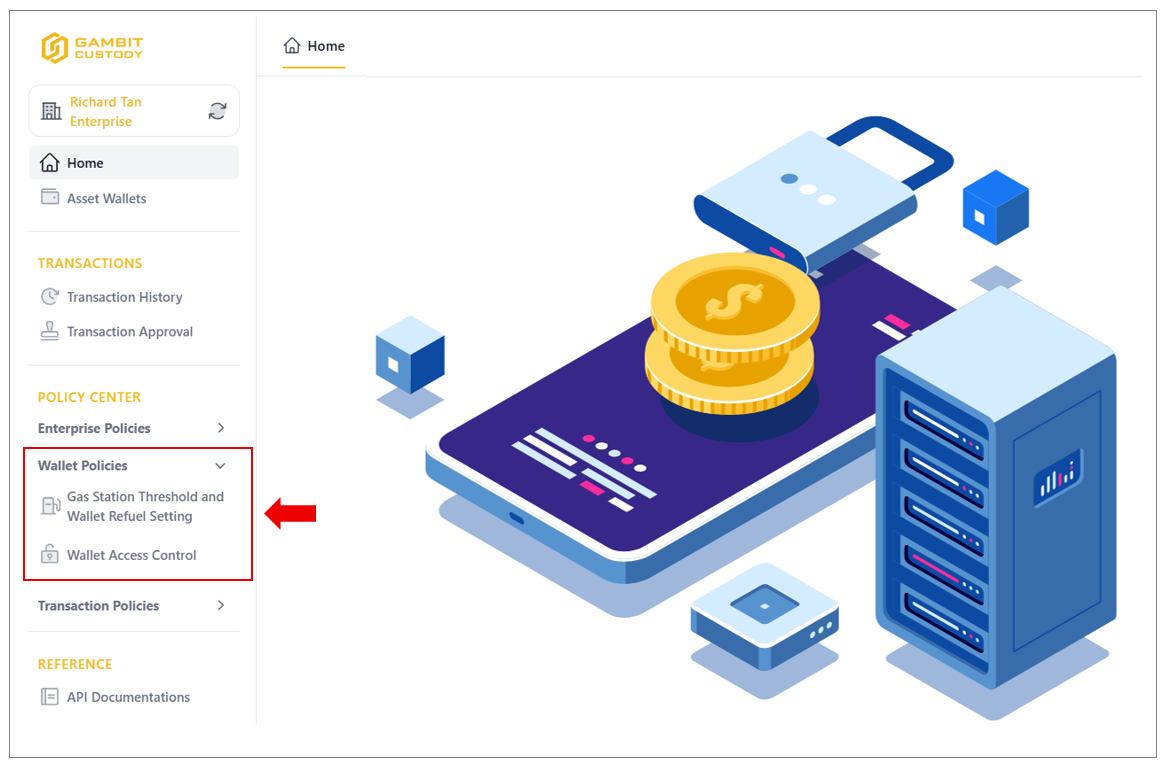
The Wallet Policies sub-section inside the platform's POLICY CENTRE allows enterprise administrators to govern the operational and security permissions of their corporate digital asset vaults. This module is split into two specialized core management areas: managing automated network fuel repositories and establishing granular human permission structures.
3.2.1 Gas Station Threshold and Wallet Refuel Setting
The Gas Stations management interface serves as the tracking control hub for enterprise’s network transaction fuel allocations. Gas stations are essential for abstracting on-chain gas costs and programmatically executing automated contract interactions, such as sweeping arriving client deposits.
3.2.2 Wallet Access Control
The Wallet Access Control engine handles corporate risk reduction by enforcing strict separation of duties. Rather than granting sweeping open access, administrators can use this interface to create explicit operational roles for specific corporate accounts relative to an individual asset wallet.
3.3 Transaction Policies
The Transaction Policy builder screen allows authorised administrators to construct precise custom rules that govern how outbound transactions are initiated and what validation steps are required to execute them.
3.3.1 Transaction Quorum Approval (TQA)
The Transaction Quorum Approval management dashboard allows Root and Super Admin to define explicit operational thresholds and approval structures based on the risk profile of the asset workspaces.